· StackRegent Team · 6 min read
What to look for in a Windows hosting control panel: a checklist
Fourteen questions to ask before you choose a Windows hosting control panel, from how it isolates accounts on IIS to what happens to your customers' sites if the license lapses.
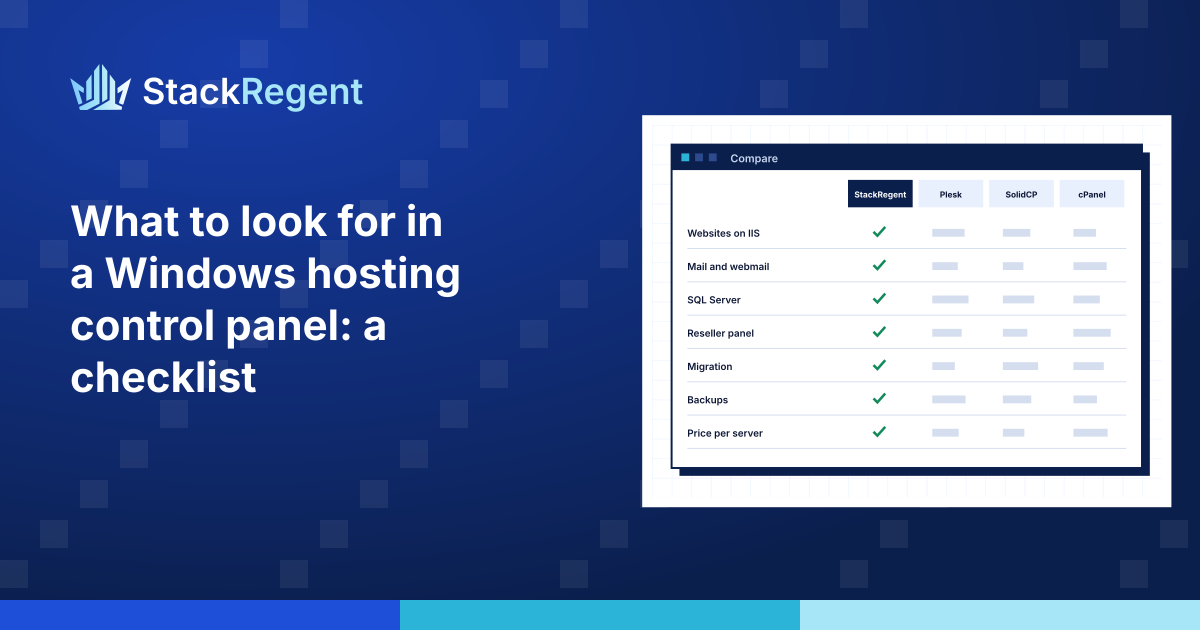
Choosing a Windows hosting control panel is a decision you live with for years. Once a few hundred customers are on a server, changing panels means a migration, and nobody wants to do that twice. Feature lists on vendors' websites all look alike, so it pays to ask more specific questions.
Here are fourteen questions we would ask of any Windows hosting panel, including our own. For each, we say why it matters and what a good answer looks like.
1. Which Windows Server versions does it support, and for how long?#
You will run the panel on servers bought this year and servers bought five years ago. Check that it supports every Windows Server version you run, including Server Core if you use it, and that the vendor has a written policy for what happens when Microsoft ends support for a version. A good answer names the versions and links to a lifecycle policy. StackRegent's is on the lifecycle policy page.
2. How are accounts isolated from each other?#
This is the most important question for shared hosting. The answer should be specific: a separate IIS application pool and a separate Windows user per account, anonymous requests running as that user, PHP running as that user, and a webspace no other account can open. Vague answers like "accounts are secure" are a warning sign. Our post on isolating websites on IIS explains what to look for.
3. Can it stop one account from slowing down the server?#
IIS alone limits CPU per application pool, but PHP processes and scheduled tasks escape that. Ask whether the panel caps CPU, memory, disk I/O and the number of processes for everything an account runs, and whether it shows you which account hit its limits and when. Without this, one runaway script becomes a ticket from every other customer on the server.
4. Does it handle .NET properly?#
Customers choose Windows hosting for ASP.NET and .NET. Check that the panel lets customers pick the .NET CLR version, edit web.config settings such as custom errors, session state and connection strings, publish with Web Deploy, and run ASP.NET Core through the Hosting Bundle. A panel built mostly for PHP will treat these as an afterthought.
5. Can sites run different PHP versions side by side?#
Even on Windows, many sites are WordPress or another PHP application. You need several PHP versions installed at once, chosen per site, with per-site php.ini settings that customers can adjust within limits you set and cannot use to escape isolation.
6. What does it offer for SQL Server?#
Ask whether it installs SQL Server Express for you, can use an existing paid SQL Server instance, and lets customers create databases and users themselves. Then ask the harder question: when a customer connects with SQL Server Management Studio, do they see every other customer's database names? A good panel can hide them. Our post on SQL Server hosting for customers covers how.
7. How is mail handled?#
Mail is the service customers notice first when it breaks. Check which mail server the panel uses on Windows, whether it supports DKIM, SPF checks and spam filtering, whether there is webmail, and whether it can limit outgoing mail per hour so one compromised mailbox does not get your server's IP address blocklisted.
8. What protects the server itself?#
A control panel adds a new login to your server, so it must protect more than it exposes. Look for two-step sign-in for administrators, administrator IP restrictions, banning of addresses that keep failing to log in (including Remote Desktop, not only the panel), a web application firewall for hosted sites, and firewall management that will not lock you out if you make a mistake.
9. Does it have a real reseller level?#
If you sell reseller hosting, check that resellers can have their own customers, service plans and branding, can log in to their customers' panels, and are stopped from creating accounts when their plan is full. Also check whether the reseller level is in every license or a paid upgrade.
10. How do backups work, and where do they go?#
Backups on the same disk as the data are not backups. Ask whether the panel can schedule backups at server, reseller and account level, send them to remote storage such as SFTP or S3-compatible storage, encrypt them, keep a set number of copies, and restore selected accounts and content types rather than everything at once. Ask too whether a backup can be restored on a different server, which matters when a server dies.
11. Is there a migration path from what you run now?#
Look for a server-to-server migration from your current panel that keeps customers' passwords, moves mail with its messages, and can be repeated just before the DNS switch to copy the latest content. Importing backup files is useful when servers cannot reach each other, but a direct migration is far less work for a full server.
12. Can you automate it?#
At some scale you will want your billing system to create accounts, change plans and suspend customers without a person in the loop. Ask whether the API covers every action or only a few, whether it is documented in a standard format such as OpenAPI, whether a key can be limited to what one reseller or customer may do, and whether there is a command line tool on the server for scripts.
13. What happens if the license lapses?#
This question is often skipped and it is one of the most important. If a payment fails or the license server is unreachable, do customer websites go offline? A good panel keeps working through a grace period, and even after that keeps websites, mail and DNS running while it restricts only the administrator. Your customers should never pay for a billing mistake between you and your panel vendor.
14. How are updates delivered and verified?#
A control panel runs with administrator rights, so a tampered update would compromise every server it reaches. Ask where updates come from, whether each release is signed, and whether the panel verifies the signature before installing. Also ask whether updates are included in the license or charged separately.
One more: how is it priced as you grow?#
Look at what the price depends on. Some panels price by feature set, so the reseller level or the WordPress tools cost extra; others price by accounts or domains. Work out what your server will cost at today's size and at twice that size, with every feature you need.
How StackRegent answers these questions#
We built StackRegent around this list. It supports Windows Server 2016, 2019, 2022 and 2025, isolates each subscription with its own Windows user and application pool, and caps CPU, memory, disk I/O and processes with Windows job objects. It manages IIS, PHP and ASP.NET, SQL Server Express and MariaDB, MailEnable with Roundcube, Microsoft DNS and FTP, and it migrates directly from Plesk for Windows. A lapsed license restricts only the administrator while websites, mail and DNS keep running, updates are signed and verified before install, and every plan has every feature; plans differ only in the number of hosting accounts.
See the features, compare it with other panels on the comparison page, check pricing, or run through this checklist yourself with the free trial: 10 days, 3 accounts, no card.