How StackRegent releases are signed and verified#
A compromised update is the worst thing that can happen to a control panel, because it runs with administrator rights on every server it is installed on. StackRegent is built so that a release cannot be installed unless it is exactly the one we published.
- One source. Updates are delivered only from the StackRegent license server. The panel does not accept packages from mirrors or third-party sites.
- A signature on every release. Each release is signed with the StackRegent release key. The public half of that key is built into the panel, and its key ID is shown under Tools & Settings › Updates next to the newest release.
- Three checks before install. The panel checks the package size, its SHA-256 hash and the signature over the product, version, hash and size. A package that fails any check is not installed.
- No downgrades. A signed package is installed only when it is newer than the version already on the server, so an old release with a known problem cannot be replayed onto a patched server.
- The same rules for new installs. The one-line installer makes the same size, SHA-256 and signature checks before it installs IIS and the panel.
Server components that StackRegent installs for you, such as PHP, MariaDB or the ASP.NET Core Hosting Bundle, are checked against a known checksum or Microsoft's own code signature before they are installed. The developer documentation explains how to check a release signature yourself.
Secrets encrypted with Windows DPAPI#
Passwords and keys the panel has to store, such as database server administrator logins and remote backup storage credentials, are encrypted with Windows DPAPI. DPAPI ties the encryption to the server's own machine keys, so a copy of the panel's database taken to another machine does not reveal those secrets.
Backups have their own choice. A backup encrypted with DPAPI can be restored only on the server that made it. A backup encrypted with a password can be restored on another server, which is what you want when moving accounts or recovering from a lost server. Keep that password somewhere other than the server it protects.
Isolation between hosting accounts#
On a shared server, the security of each customer depends on how well they are kept apart from the others.
- A Windows user per subscription, with no administrative group memberships.
- An IIS application pool per subscription, optionally one per website, running as that user. Anonymous visitors to a site run as the pool user, not as a shared account.
- PHP as the subscription. PHP runs through FastCGI as the same user with a locked
php.iniper site, and PHP uploads, temporary files and sessions stay inside the subscription's owntmpfolder. - Private webspaces. Only the subscription user, SYSTEM and Administrators can open a webspace, and subscriptions cannot list the folder that holds all webspaces.
- Resource limits. All processes of a subscription run in one Windows job object that caps CPU, memory, disk I/O and the number of processes.
- No link tricks. The panel never follows junctions or hard links when it works on files.
Tools & Settings › Account Isolation checks each subscription against these rules, including a test that runs as the subscription user and confirms it is refused another account's files, and repairs any that have drifted. See resource limits and isolation.
Protecting the panel and the server#
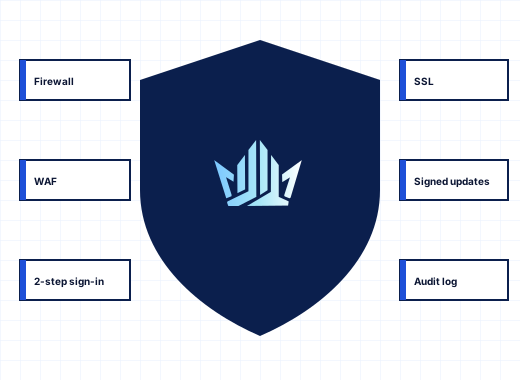
Administrators can protect their sign-in with TOTP two-step authentication, limit the administrator area to listed IP addresses, set an idle session timeout and end active panel, FTP and RDP sessions. IP Address Banning blocks addresses that keep failing to sign in to Remote Desktop, the panel, FTP, mail, SQL Server or MariaDB. Windows Defender Firewall rules are managed from the panel, and a change that makes the panel unreachable is rolled back by itself. ModSecurity with the OWASP Core Rule Set checks the addresses, query strings and headers of requests to hosted websites. The security features page covers each control in detail.
What the license check sends, and what it does not#
Every 24 hours, the panel checks its license with the license server. The check sends the license key, the product code, a hash of the server's Windows machine ID, the server's host name, the StackRegent version and the number of hosting accounts in use. It does not send customer names, website files, mailboxes, databases or passwords.
The license server's answer is signed with a private key that stays on the license server, and the panel verifies that signature before it trusts the answer. The panel also refuses to follow redirects when it talks to the license server, so a key cannot be resent to another address. If a check fails, the panel retries after an hour and then every six hours, and keeps working for a grace period; even a lapsed license never stops websites, mail or DNS. The privacy policy explains how we keep this information.
Security of the services we run#
The parts of StackRegent we run ourselves are the license server, update delivery, the store and client area at panel.stackregent.com, these websites and the community forum.
- We do not hold your customers' data. StackRegent runs on your server. Your customers' sites, mail and databases never pass through our systems, so a problem on our side cannot expose them.
- Card details stay with the payment provider. Card payments are handled by the payment provider you choose at checkout; card numbers are not stored by us.
- Our websites collect little. Forms are protected against forgery and spam with a session token and Google reCAPTCHA, and the sites set only the cookies described in the cookie policy.
- We publish what we fix. Security fixes ship as ordinary releases, free for every active license, and are described in the release notes.
Reporting a security vulnerability#
If you believe you have found a security vulnerability in StackRegent, its installer, the license server or our websites, please tell us privately.
Step 1: Send the report privately#
Use the security form or write to support@stackregent.com with "Security" in the subject. Do not post the details in the forum, on the ideas board or in any public place.
Step 2: Include what we need to reproduce it#
Give the StackRegent version, the Windows Server version, the steps to reproduce the problem, what an attacker could achieve, and any proof-of-concept code. Screenshots and request logs help. If the issue affects a live server, say so.
Step 3: Give us time to fix it#
We confirm receipt, investigate and keep you informed of progress. Please give us a reasonable time to release a fix before you publish anything. We agree a disclosure date with you once a fix is available.
Rules for testing#
Test only on servers you own or have permission to test, such as a trial installation. Do not access, change or delete data that is not yours, do not degrade other people's service, and stop and report as soon as you have shown the problem exists. Research that follows these rules is welcome.
Security advisories in the release notes#
When a release fixes a security problem, its entry in the release notes says so, describes what was affected and which versions are fixed, and credits the reporter if they wish. Turn on Email me when a new release is available under Tools & Settings › Update Settings, or enable automatic updates, so you hear about security releases without having to watch the notes. The lifecycle policy explains which releases receive security fixes, and the documentation's security section covers hardening a server.
Frequently asked questions
How do I report a security vulnerability in StackRegent?
Privately, through the security form or to support@stackregent.com. Please do not post it in the forum. Include the version, the steps to reproduce it and what an attacker could do.
How do I know a StackRegent update has not been tampered with?
The panel installs a release only after checking its size, SHA-256 hash and the signature made with the StackRegent release key, which is built into the panel. A package that fails any check is refused.
Can StackRegent see my customers' websites, mail or databases?
No. StackRegent runs on your server, and the daily license check sends only the license key, product code, a hashed machine ID, the host name, the version and the number of hosting accounts.
Where are StackRegent security advisories published?
In the release notes. Each release that fixes a security issue says what was affected and which versions are fixed. Turn on new-release emails in Update Settings to be told when one appears.
How does StackRegent keep hosting accounts apart on a shared server?
Each subscription runs as its own Windows user in its own IIS application pool, with PHP as that user, a private webspace and a Windows job object that caps CPU, memory, disk I/O and processes.
How does StackRegent encrypt stored passwords?
Secrets the panel must store, such as remote backup and database server credentials, are encrypted with Windows DPAPI. Backups can be encrypted with DPAPI or with a password that lets you restore them on another server.