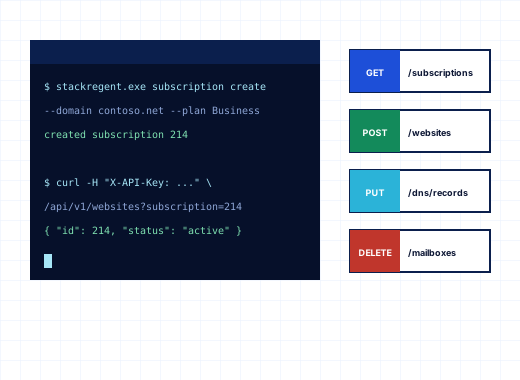
One REST API for every panel action#
The StackRegent panel is a single-page application that talks to its own REST API. There is no separate, smaller "integration API" with half the features: the endpoints your browser uses are the endpoints your scripts use. Creating a customer, adding a subscription, suspending it for non-payment, adding a mailbox, issuing a Let's Encrypt certificate, running a backup or reading the monitoring figures are all JSON calls over HTTPS on the panel port.
That matters for hosting providers on Windows, where the alternatives are often PowerShell remoting into IIS and editing applicationHost.config by hand. With StackRegent, a billing system, a deployment pipeline or your own support tooling can do the same work the panel does, with the same checks, the same plan limits and the same task log.
The full reference, with authentication, examples and the command line, is on developers.stackregent.com.
Hosting panel REST API for Windows: keys and what they can reach#
API keys are created in the panel:
| Key | Created under | Reaches |
|---|---|---|
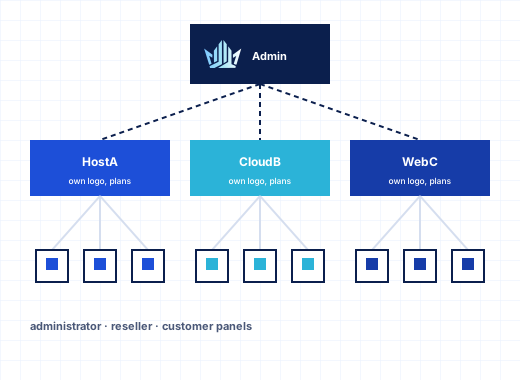
| Administrator | Tools & Settings › Remote API (REST) | Everything the administrator who created it can do |
| Reseller | Account › API Keys in the reseller panel | The reseller's own customers, plans and subscriptions; needs the reseller plan permission Use the REST API |
| Customer | Account › API Keys in the customer panel | The customer's own subscriptions; needs the plan permission Ability to use the REST API, which is off by default |
The level of the key is its scope: a key acts exactly as the login it belongs to and is refused anything outside that account, just as the panel would refuse it. Requests from an administrator account that runs under Restricted Mode Settings are restricted the same way, so a support-staff key cannot change the firewall or install components if that login cannot.
Each key has:
- a Name, for example
billing system, - Allowed from: IP addresses or networks such as
203.0.113.10, 198.51.100.0/24; empty means anywhere, and the panel's IP access restriction still applies, - Expires: a number of days, or
0for never.
The key starts with sr_ and is shown once. The panel stores only a SHA-256 fingerprint of it, and the key list shows the first characters, Acts as, Allowed from, Last used and Expires. Deleting a key stops scripts that use it at once. Reseller and customer accounts can hold up to 20 keys, and their keys cannot change passwords, manage API keys or log in as other accounts.
Calling the API#
Send the key as a bearer token or in an X-API-Key header. Requests and answers are JSON:
curl -H "Authorization: Bearer sr_..." https://panel.example.com:9443/api/subscriptions

curl -X POST -H "Authorization: Bearer sr_..." -H "Content-Type: application/json" \
-d '{"status":"suspended"}' https://panel.example.com:9443/api/subscriptions/12/statusThe Examples card on the Remote API page shows these calls with your server's address filled in. Errors come back with an HTTP status of 400 or above and a JSON body with an error message; form-style calls also list the fields that failed, so your integration can show the same validation messages as the panel.
OpenAPI 3 description#
OpenAPI description on the Remote API page, or GET /api/openapi.json with a key, returns an OpenAPI 3 document of every endpoint and its parameters. Load it into Postman, Insomnia, Swagger UI or a code generator to browse the API or generate a client in C#, PHP, Python or Go. The panel has no built-in playground; use curl, your OpenAPI tool or stackregent api on the server.
Billing integration#
Two kinds of billing touch a StackRegent server.
Your customers' hosting. Any billing system that can make HTTPS calls can provision StackRegent accounts: create the customer under /api/clients, add the subscription with a service plan, change the plan on an upgrade with /api/subscriptions/{id}/plan, and suspend or reactivate with /api/subscriptions/{id}/status. Store your billing system's account number in the customer's External ID field so both sides can find each other. Use an administrator key limited with Allowed from to the billing server's address. Resellers can connect their own billing system with a reseller key that reaches only their customers.
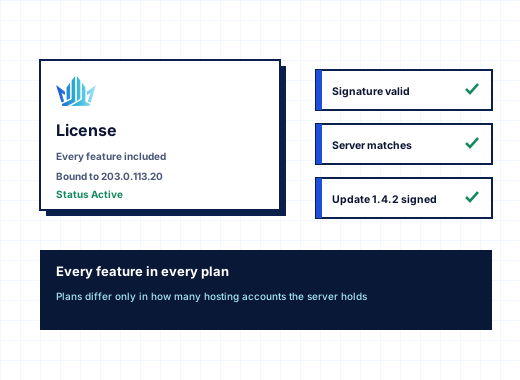
Your StackRegent license. Licenses are sold and renewed in the StackRegent store at panel.stackregent.com. The panel checks its key with the store's license server every day, and License Information shows the edition, the subscription limit, the next payment due and the last successful check. When you renew, upgrade to a plan with more accounts or reissue a license in the client area, Check now picks up the change at once. See licensing and updates.
The stackregent command line#
stackregent.exe lives in C:\Program Files\StackRegent\bin. Run it in an elevated command prompt or PowerShell on the server. It does two jobs: automation and recovery.
| Command | What it does |
|---|---|
stackregent api GET /api/subscriptions | Calls the REST API as the main administrator; POST and PUT take a JSON body or @file.json. Each call uses a key that lasts one minute, works only from the server itself and is removed afterwards. |
stackregent run-task KIND [JSON] | Queues a panel task, waits for it and prints its log |
stackregent site-run ID PROGRAM [ARGS] | Runs a program as a website's subscription user and prints the output |
stackregent website-apply DOMAIN | Applies one website's hosting settings again |
stackregent admin-password | Sets a new random password for admin, turns off its two-factor authentication and closes its sessions |
stackregent admin-add LOGIN / admin-remove LOGIN | Adds or removes a support administrator |
stackregent ip-access-reset, firewall-reset, panel-url-reset | Undo an IP restriction, Panic Mode or a custom panel URL that locked you out |
stackregent panel-port HTTPS [HTTP] | Moves the panel to other ports, updates the firewall rules and restarts it |
stackregent license-set KEY, license-check | Sets or checks the license key |
stackregent sessions-purge, version | Logs everyone out; prints the version |
Because stackregent api needs no stored key, it is the safe way to script the server from Task Scheduler, a configuration-management tool or an RDP session.
Event Manager: run commands on panel events#
Tools & Settings › Event Manager runs a command when something happens in the panel. Add a handler with an Event name such as subscription.created, subscription.* for every action on subscriptions, or * for every event, then a Command, a Priority from 0 (first) to 100 (last) and a Description.
Handlers run as SYSTEM through cmd.exe, appear in Task Manager, and receive the details in environment variables: STACKREGENT_EVENT, STACKREGENT_OBJECT_TYPE, STACKREGENT_ACTION, STACKREGENT_ACTOR, STACKREGENT_IP, STACKREGENT_DETAILS and STACKREGENT_TIME. Typical uses are posting to a chat channel when a subscription is created, adding a new domain to an external monitoring service, or telling a CRM that an account was suspended.
Scheduled tasks for the server and for every subscription#
Tools & Settings › Scheduled Tasks holds server tasks that run as Local System, and lists the tasks of every subscription. Customers have their own Scheduled Tasks page, where tasks run as the subscription's system user inside its resource limits; the plan permission Scheduled tasks management controls it.
Each task is one of three types:
- Command, run with
cmd.exein the webspace folder, for examplephp httpdocs\artisan schedule:run, - URL, requested by the panel, with status 400 and above counted as an error,
- PHP script, a path in the webspace with Arguments and a PHP version.
Run offers presets such as Every 5 minutes, Hourly or Daily at 03:00, or Custom (cron expression), and the panel shows the next run times before you save. Send the output by email can be set to Only when the task fails, After every run or Never, and a Time limit ends the task and everything it started. Run Now and History with past output make debugging a cron job a matter of minutes.
Automation that keeps working when you are not watching#
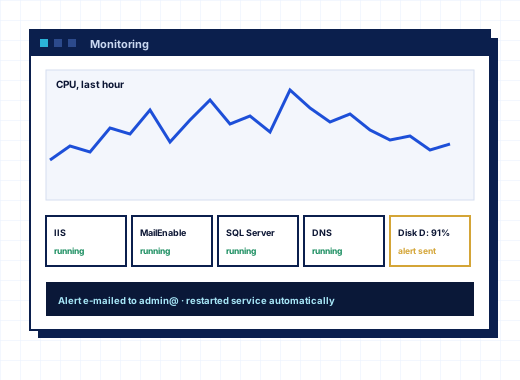
Put the pieces together and a Windows hosting server can run with little manual work: your billing system provisions and suspends through the API, Event Manager hooks tell your other systems what changed, scheduled tasks and scheduled backups run at night, and monitoring alerts email you when something needs a human. Updates can install themselves at night too.
Every StackRegent plan includes the REST API and command line; see pricing. The API reference, key scopes and command reference are on developers.stackregent.com.
Frequently asked questions
Does StackRegent have a REST API?
Yes. Every panel action is available over HTTPS as a JSON REST API on the panel port, described in an OpenAPI 3 document at /api/openapi.json. The reference is on developers.stackregent.com.
How do I authenticate to the StackRegent API?
Create a key under Tools & Settings › Remote API (REST), or Account › API Keys for resellers and customers, and send it as Authorization: Bearer sr_... or in an X-API-Key header. Keys can be limited to IP addresses and given an expiry.
Can I limit what an API key can do?
A key acts as the account that created it, so a reseller or customer key reaches only that account. For a narrower administrator key, create it from an additional administrator account that runs under Restricted Mode Settings, and limit it with Allowed from.
Can I connect WHMCS or another billing system to StackRegent?
Any billing system that can make HTTPS calls can create customers and subscriptions, change plans and suspend accounts through the REST API. Store the billing account number in the customer's External ID field.
How do I reset the StackRegent admin password from the server?
Run stackregent admin-password in an elevated prompt on the server. It sets a new random password for admin, prints it, turns off its two-factor authentication and closes its sessions.
Can I run a script when a new subscription is created?
Yes. Add a handler in Tools & Settings › Event Manager for the event subscription.created. The command runs as SYSTEM and receives the event details in STACKREGENT_ environment variables.
Can customers run cron jobs on Windows hosting?
Yes, when their plan includes Scheduled tasks management. They can run a command, a PHP script or a URL on a preset or cron schedule, with email output and a time limit, as their subscription's system user.