The noisy neighbor problem on shared Windows servers#
On a shared IIS server, one subscription with a runaway PHP loop, a crawler hammering an uncached WooCommerce shop or a compromised script can use every core and gigabyte the machine has. Every other customer on the box sees a slow or dead site, and you see a wave of tickets. IIS on its own gives you per-pool CPU throttling and recycling, but nothing that ties together everything an account runs: worker processes, the PHP processes they start, scheduled tasks and command-line jobs.
On Linux, hosting providers solve this with CloudLinux. Its LVE technology is kernel-level and caps CPU speed, physical memory, disk throughput, I/O operations, entry processes and process counts per account (CloudLinux documentation). CloudLinux runs on Linux, so Windows hosts have had to live without an equivalent. StackRegent fills that gap with a governor built on a Windows kernel feature: job objects.
How the CloudLinux alternative for Windows works: job objects#
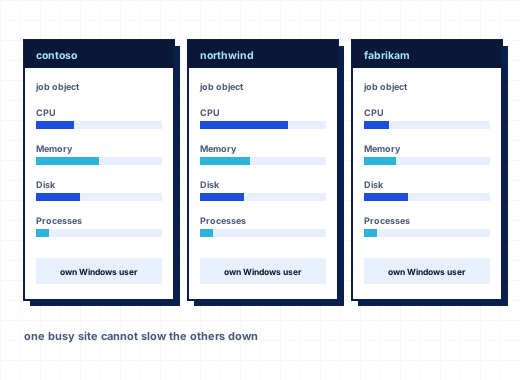
A Windows job object is a kernel object that groups processes and enforces limits on the group as a whole. Child processes started inside a job stay in it, so a script cannot escape its limits by spawning more processes. StackRegent gives every subscription one job object and puts all processes running as that subscription's Windows user into it: IIS worker processes (w3wp.exe), PHP FastCGI processes, scheduled tasks and other programs.
The governor runs in the StackRegent task service. Every 5 seconds it moves new processes of a subscription user into the right job, every 15 seconds it reads the jobs' accounting counters, and every minute it stores a sample for the graphs. The kernel enforces the limits continuously; the panel only sets them and reports.
| StackRegent limit | Unit | What happens at the limit | Closest CloudLinux LVE limit |
|---|---|---|---|
| CPU | % of one core (100 = one core, 200 = two) | A hard cap: the site slows down instead of the server | SPEED |
| Memory | MB of committed memory for all processes together | Allocations fail; PHP returns HTTP 500 | PMEM |
| Disk read and write speed | MB/s | Reads and writes are throttled | IO |
| Disk operations | per second | Operations are throttled | IOPS |
| Processes | count | New PHP processes and tasks wait or fail; allow at least 5 | NPROC |
IIS connection and bandwidth limits sit next to these on the plan's Performance tab, together with the application pool settings.
Setting limits: plans, subscriptions and server defaults#
A subscription takes each limit from the first of these that sets it:
- Its own limits, saved on the subscription's Resource Usage page.
- The Resource limits section on the Performance tab of its service plan or its customized settings.
- The server-wide Default limits, used when the plan leaves a resource unlimited.
Server defaults work like a default LVE: set them once under Tools & Settings › Resource Usage, and every plan that does not say otherwise is protected. They apply within a minute of saving. The Enforce resource limits switch on the same page turns enforcement off for troubleshooting while the panel keeps measuring.
Because limits live in service plans, you sell them like any other plan value. A larger plan can have two cores and 2 GB, and a single subscription can be customized or given more through its own Resource Usage page without a new plan. Customers may lower values in their hosting options but never raise them above the plan.
Seeing who hits their limits#
Tools & Settings › Resource Usage lists every subscription's current CPU, memory, disk I/O and processes against its limits, refreshed every 15 seconds. The Limit reached column counts the minutes in the last 24 hours in which a limit was hit, which tells you at a glance who is outgrowing their plan.
Details opens one subscription:
- cards with current CPU, memory, disk I/O and processes, with 24-hour average and peak,
- graphs for 24 hours, 3 days or 30 days, with the limit drawn as a line,
- the list of processes running as the subscription user, with CPU, memory, start time and End,
- the subscription's own limits, editable in place.
Customers see the same Resource Usage page for their own subscriptions, with the message "A limit was reached in N minutes of the last 24 hours" when it happens. That turns "my site is slow" tickets into a conversation about caching or a bigger plan. The Resource limit reached notification can tell you, the reseller and the customer by email or in the panel's notice bell.
If the page reports that some processes could not join the job, those processes run without limits, for example when the process limit was already reached. The panel shows that rather than hiding it.
Account isolation, the CageFS-style part#
Limits keep accounts from starving each other; isolation keeps them from reading each other. In StackRegent:
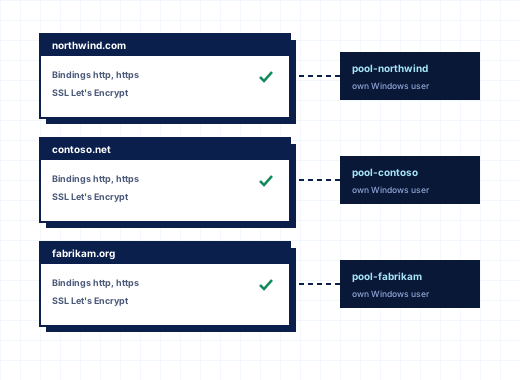
- Each subscription has its own Windows system user with no administrative group memberships.
- Each subscription runs in its own IIS application pool under that user. With Dedicated application pool for each website, each website gets its own pool.
- Anonymous web requests run as the application pool user, not as a shared IUSR-style account.
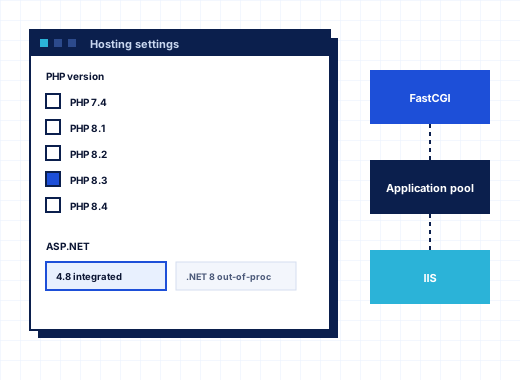
- PHP runs through FastCGI as that user with a locked
php.iniper site; uploads, temporary files and sessions stay in the webspace's owntmpfolder. - The webspace is readable only by the system user, SYSTEM and Administrators, and subscriptions cannot list the folder that holds all webspaces.
- The panel never follows junctions or hard links when it works on files, which closes the classic trick of linking your own folder to someone else's data.
Tools & Settings › Account Isolation proves it. Check all runs seven tests per subscription, including one that runs as the subscription user, opens its own webspace and confirms it is refused another account's files. Each subscription is marked Isolated, Check, Not isolated or Not checked. If permissions drifted, for example after someone copied files in over RDP, Repair queues a fix, and Check confirms it.
Plan permissions keep customers from undoing isolation. Setup of potentially insecure web scripting options, IIS application pool management and Access to the server over Remote Desktop are off by default, and the isolation check warns when a plan allows Remote Desktop.
Disk quotas with NTFS#
Disk space is limited at two levels:
- Disk space on the plan's Resources tab is the subscription's sold allowance. It is counted every night, and the plan's Overuse policy decides what happens above it: suspend, allow disk and traffic overuse only, or allow all overuse.
- Hard disk quota on the Hosting Parameters tab sets an NTFS disk quota for the subscription's system user on the files it owns. Windows itself refuses writes above it, so a log file that grows out of control stops at the quota instead of filling drive D.
Tools & Settings › Server Settings › Disk usage includes decides what counts toward disk space: website files, logs, mail, databases, backups and anonymous FTP.
IIS application pool settings per plan#
Under IIS application pool on the plan's Performance tab you set the pool behavior per plan: dedicated pool per website, 32-bit applications, loading the user profile, maximum worker processes, idle timeout and its action, IIS's own CPU limit with its action and interval, and recycling at intervals, after a number of requests or at memory sizes. The IIS CPU limit applies when the job object CPU limit is unlimited.
Tools & Settings › IIS Application Pools lists every pool with its state, .NET CLR version, websites and worker process IDs, with Recycle, Stop and Start.
Why this matters for a Windows hosting business#
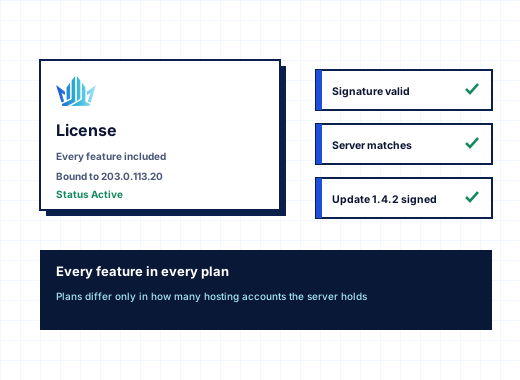
With limits and isolation in place you can put more accounts on a server without one of them deciding the experience of all the others, and a compromised site stays a single-account incident. Combined with monitoring and alerts you hear about pressure before customers do, and with service plans for resellers you can sell limits as plan features. Every StackRegent plan includes the governor; plans differ only in the number of hosting accounts, see pricing.
CloudLinux is a trademark of its owner. StackRegent is not affiliated with CloudLinux.
Frequently asked questions
Is there a CloudLinux for Windows Server?
CloudLinux runs on Linux only. StackRegent gives Windows hosting servers a comparable per-account governor using Windows job objects, which cap CPU, memory, disk I/O and processes for each hosting subscription.
How do I limit CPU and memory per website in IIS?
In StackRegent, set CPU and Memory on the Performance tab of the service plan, or on the subscription's Resource Usage page. All processes of the subscription, including IIS worker processes and PHP, share those limits in one job object.
What happens when a site reaches its memory limit?
Programs in the subscription get out-of-memory errors and PHP returns HTTP 500 for the affected requests. Other subscriptions on the server are not affected, and the Limit reached counter records the event.
Does a CPU limit apply to child processes and scheduled tasks?
Yes. Processes started inside a job object stay in it, and the governor also moves scheduled tasks and other programs that run as the subscription user into the subscription's job.
Can one customer read another customer's files on a StackRegent server?
No. Each subscription runs under its own Windows user and application pool, its webspace is readable only by that user, SYSTEM and Administrators, and the Account Isolation page tests this per subscription as the subscription user.
Do I need NTFS disk quotas if the plan already has a disk space limit?
The plan limit is measured every night and handled by the overuse policy. The NTFS hard quota is enforced by Windows at once, so it stops a runaway process from filling the disk between measurements.
Can I set limits for all accounts at once?
Yes. Default limits under Tools & Settings › Resource Usage apply to every subscription whose plan leaves a resource unlimited, and they take effect within a minute.